The new Learn.WordPress.org is launching soon, complete with four courses in the User and Developer Learning Pathways. Your help is needed to QA/test the new site! Please follow these steps and report any bugs you find.
Testing steps
- Log into WordPress.org if you’re not already.
- Visit https://learn.wordpress.org/?new-theme=1 or click the “Preview the new theme” link in the admin bar.
- Navigate the site and make sure all links work as expected, and everything looks as expected.
- Register for a course and go through all the lessons/quizzes.
- Try different browsers and devices, including mobile devices.
- Repeat the above steps – except for course registration – while logged out. (The new-theme preview link now works while logged out.)
Pages to visit
- Homepage
- Learning Pathways
- Developer Learning Pathways
- Beginner WordPress Developer – also spot-check individual lessons
- User Learning Pathways
- Beginner WordPress User – also spot-check individual lessons
- Intermediate WordPress User – also spot-check individual lessons
- My Courses
- Also test the filters on this page
- Courses archive
- Also test the search box and filters on this page
- Lessons archive
- Also test the search box and filters on this page
- Free standing lesson (not part of a course), eg. https://learn.wordpress.org/lesson/what-is-accessiblity-and-why-is-it-important/?new-theme=1
- Tutorials archive (not shown in navigation but still reachable until they’re converted to lessons – GitHub) – also spot-check individual tutorials
- Also test the search box and filters on this page
- Lesson Plans archive (not shown in navigation but still reachable until they’re converted to facilitator notes – GitHub) – also spot-check individual lesson plans
- Also test the search box and filters on this page
- Online Workshops
- Also test switching between list and calendar view on this page
- 404 page
Testing Courses and Quizzes
- Test any course you like by registering and going through its lessons and quizzes. If you’re short on time, here are a few examples of courses with just two lessons and a couple of quizzes:
Reporting Bugs
If you find any issues:
- Search the Learn WordPress GitHub repository to see whether the issue has already been reported. (See also list of current reported bugs, and milestones of issues for launch and post-launch.)
- If it’s a new report, create a new GitHub issue in the Learn repository using the Feedback template.
- Mention in your issue that the report is for the new Learn WordPress site.
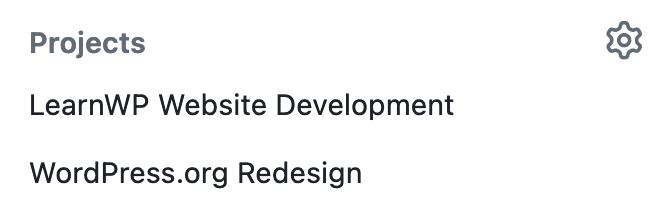
- If you have the ability to assign the issue to a GitHub Project, select “WordPress.org Redesign” project, and if possible, also the “LearnWP Website Development” project. If not, no worries – leave Project blank and it will be assigned for you.
- Please include:
- Your OS and version
- Your browser and version
- Link to the specific page you found the bug on
- Screenshot or screencast showing the problem
Known issues, enhancements, and prioritization
- Current reported bugs.
- The thumbnail creation process is still ongoing, so some lessons and other content “cards” do not have custom thumbnails yet. You can still help create more thumbnails – get all the details.
- While suggestions for future enhancements are also welcome, the priority at the moment is to find urgent bugs that may affect the launch.
- The dev team will prioritize bugs that are blockers to launch, with other issues set to be addressed post-launch.
- Don’t worry if you’re not sure whether something has already been reported or isn’t actually a bug. Better to report it just in case.
Deadline
Please log all GitHub issues by July 17, if possible.
Thank you in advance for helping make the new Learn WordPress the best it can be!