This post is a summary of the thirteenth call for testing for the experimental FSE outreach program. As always, I want to highlight those who helped to bring others along with them in this latest effort:
- @courane01 and @arasae for running a fun and informative social learning space on this call for testing.
- @piermario for creating an Italian translation to bring more folks into this call for testing.
Shout out to @hage, @antigone7, @robglidden, @azhiyadev as first-time contributors. Get excited – you now have a testing contributor badge on your WordPress profile!
High-level summary
To help ground the following feedback, here are some quotes about the overall experience to keep in mind:
The most frustrating thing to me is still, hands down, the lack of a clear, consistent visual cue or affordance to insert a new block on a new parent level after an existing block. Most of the time, when adding a block using the [+] square, the new one is inserted right there, still as a “child” block. List view often comes to the rescue and helps a lot. Without it, everything would be much, much harder to build..This, and the current lack of consistency in styling and spacing options between blocks (some have margins, some don’t, some have colors, some don’t, etc.) is still, in my opinion, one of the main factors keeping users from jumping ship from site builders.
@piermario in this comment.
Outside of the user-experience issues noted below, everything went well. No editor crashes. No problems saving. And the front-end matched what I was seeing in the editor.
@greenshady in this WP Tavern post.
Outside of these quotes, a few items proved to be repeatedly mentioned by folks who gave feedback on this test:
- When locking a container block, offer the option to lock all blocks within since right now one must manually lock all inner blocks.
- Ensure new template options aren’t empty (author, date, taxonomy, category, tag) so folks aren’t met with a blank template.
- Offer the option to link to an author’s archive with the current Post Author block. This will be available in future releases when the Post Name Author block is released, which includes this feature.
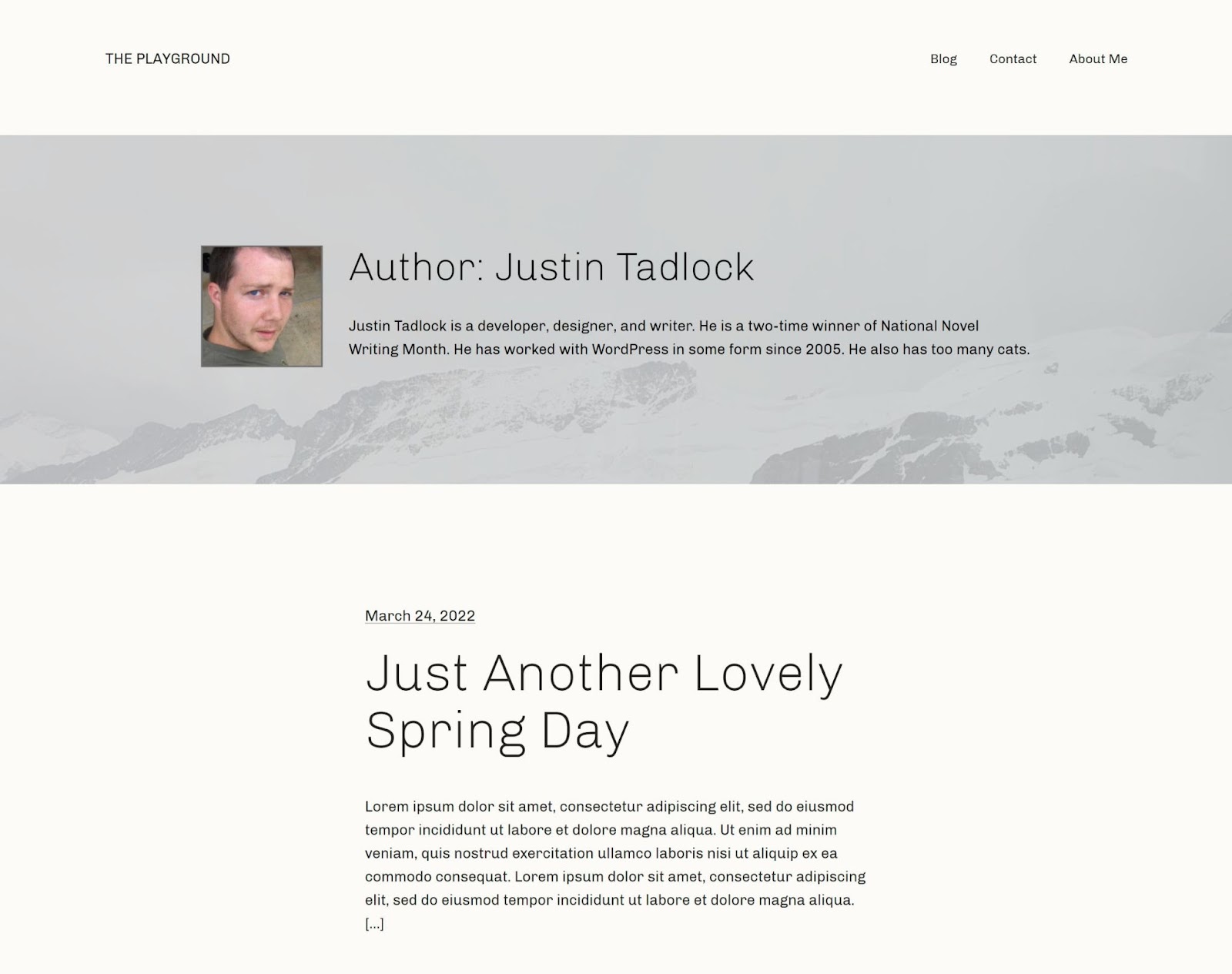
To provide a visual of what this test accomplished, here’s what @greenshady created in his write up for this call for testing:
Confirmed bugs
Listed below are confirmed bugs that break expected functionality or the experience of different features.
Previously reported
- Site Logo: Fix adding the site icon (fixed in 13.0).
- Adding additional templates types (author, date, taxonomy, etc) flashes default template content.
New Issues
- Prevent site editor inception with latest posts block.
- Post Author Block doesn’t display when author has no posts.
Feature Requests
Most requests in this section touch on items that would improve the experience of an option (quick inserter prioritizing patterns) or block (No results block) rather than a list of desired new functionality. This reflects the fact that much of what folks wanted to do in this call for testing they could reasonably accomplish compared to prior calls.
New Issues
- No Results block: Update the default text to be grammatically correct/more intuitive.
- No Results block: Consider making the look/feel more like a Group block since it’s meant to act as a container.
- No Results block: Explore how to show that it displays conditionally.
- No Results block: Consider including it by default in the Query Loop block.
- Quick Inserter prioritizing patterns: Make it clear that you are adding patterns rather than blocks.
- Quick Inserter prioritizing patterns: Change the + button to say “Add pattern” rather than “Add block”.
- Quick Inserter prioritizing patterns: Provide a way upon searching the quick inserter to still add in individual blocks.
Previously Reported:
- When locking a container block, offer the option to lock all blocks within.
- Add visual cue when dragging a block into an empty Group block.
- Change excerpt length in post excerpt block.
I did not know about the “No Results block”. That was interesting to learn about. Perhaps it should automatically be added with the default text if there are no author posts to show.
@paaljoachim in this comment.
The Post Excerpt block under the Query Loop doesn’t have an option to adjust the excerpt length. (The Latest Posts block does have this option.)
@piermario in this comment.
Working with the block felt odd at first. Where does it go? After the Post Template? Before?…It was also odd to visually edit a feature that is conditionally displayed. There should be an indicator that its contents may or may not be shown on the front end…Overall, the No Results block is a welcome addition to the theme-blocks toolset. I would like to see the UI fleshed out a bit. Theme authors will likely start using this more when 6.0 lands, and I could see users inadvertently trying to delete it, thinking it is part of the default output.
@greenshady in this WP Tavern post.
General Usability Feedback
Once more, this call for testing showed the desire to avoid starting from scratch, more consistency across the experience (especially with what options are available to customize blocks), and more connection points between new options. In particular, the inability to link to the Author Template one customized in this call for testing using the Post Author block was repeated numerous times as a pain point. The missing connection there lowers the impact the new author template could have. While this won’t be available for WordPress 6.0, expect to see the option to do so included when the new Post Author Name block is included in a future WordPress release:
- Ensure new template options aren’t empty (author, date, taxonomy, category, tag).
- Consolidating the Query block, Latest Posts block and Post Lists block to better differentiate each depending on use cases and provide overall consistency in the UI.
- Inability to link to an author’s archive with the current Post Author block. This will be available in future releases when the Post Name Author block is released.
- Desire for more consistency in block options that will come with the work around the Styles Engine.
- Include a suggestion in the link modal to link to templates, wp-admin, etc.
The most immediate issue when creating a new author template is that it was devoid of default blocks. Where was the—at minimum—header and footer? The empty template would make sense if I was building something from scratch. However, this is not a from-scratch project. It was built from a theme with existing archive.html and index.html files, ancestors in the template hierarchy…Users will most likely want to make modifications rather than start from scratch. Using an ancestor template as a base means that they are less likely to unnecessarily deviate from the existing layout, especially with more complex designs.
@greenshady in this WP Tavern post
I feel that menus were a lot more intuitive and easier to manage with the previous system. I wish there were a way to basically tie back the new blocks to a similar interface, which had become familiar and was easy to use even for non-experts.
@piermario in this comment.
I find it difficult in viewing the author template on the frontend and had to use your advice: yoursiteurl.com/author/[username].
@paaljoachim in this comment.
I had expected that after locking the group block at the header, the cover block contained in it (for example) could also not be moved. But that was possible without any problems. In my opinion, another option would make sense here: Lock all blocks contained in the block. If a group block contains several other blocks, it would be very time-consuming to lock all of them.
@hage in this comment.