This is a bi-weekly update of work the design group contributed to. Work happens in overview issues, and in needs design, or needs design feedback issues.
If you have updates you’d like to include in the next Design Share, drop a note in the #design channel. If you have questions, you can also ask them there, or as a comment on this post.
Useful Figma files
Useful Tracking Issues
Design work
General Updates
Using Data Views to manage navigation menus
Status: Needs feedback | @jameskoster
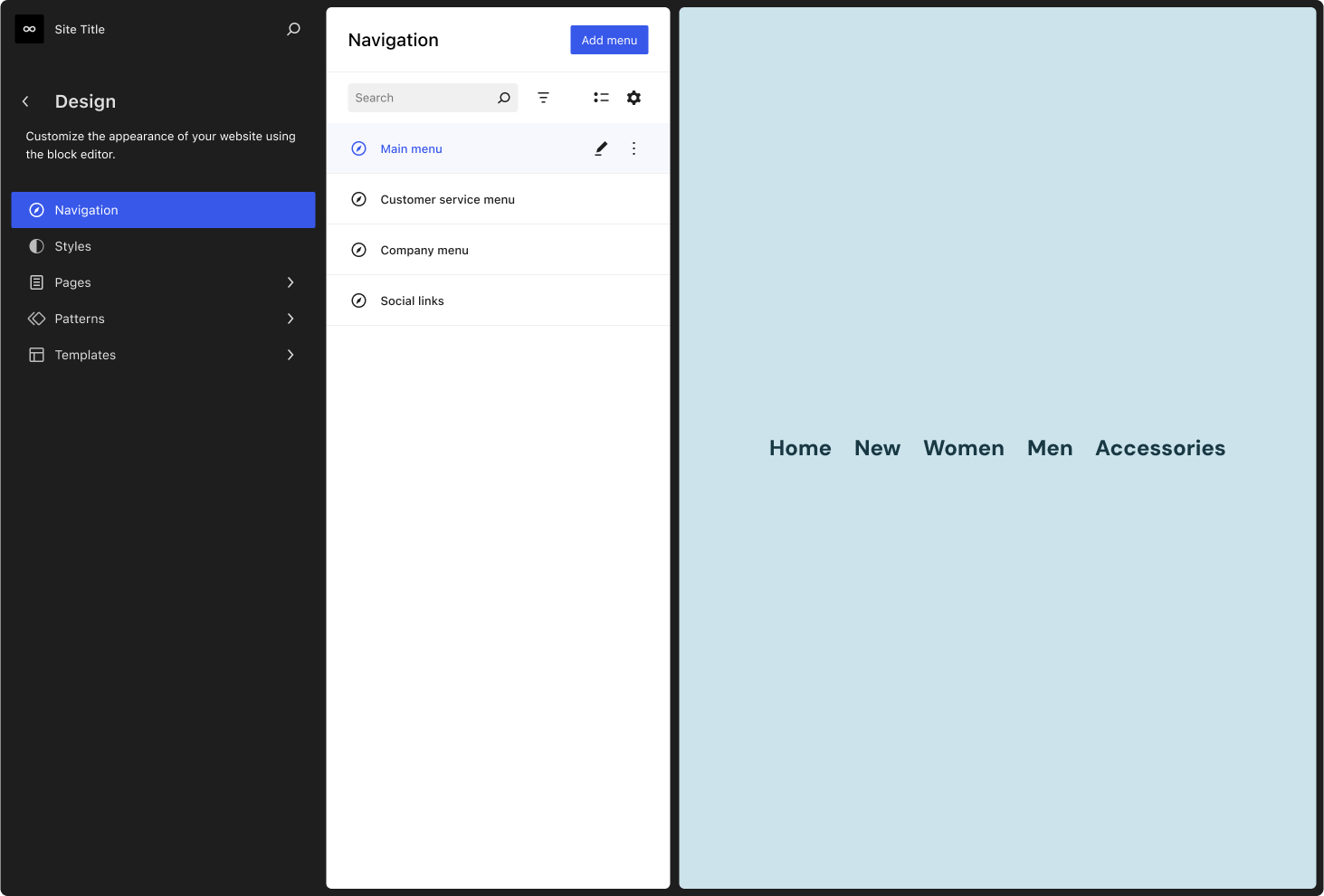
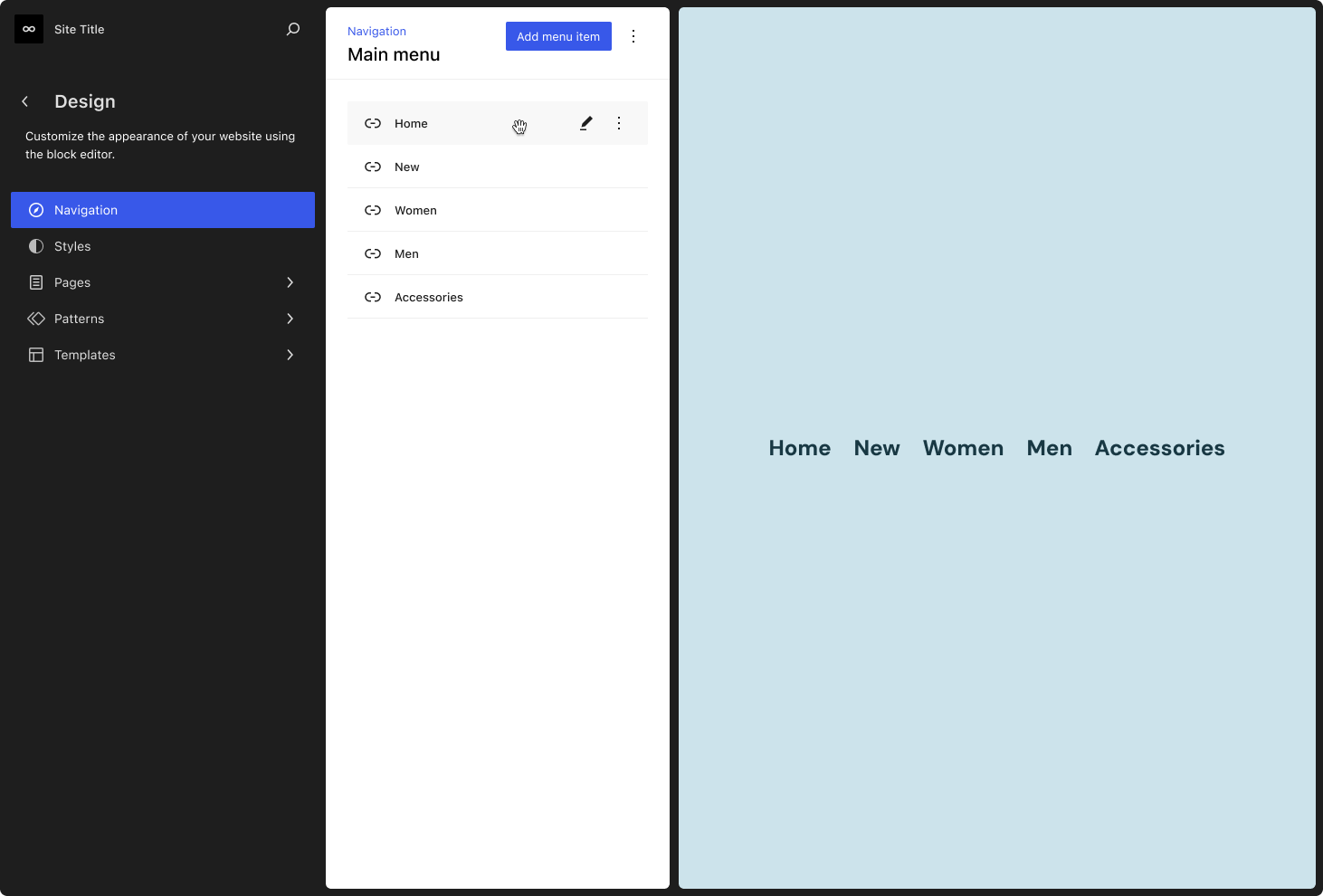
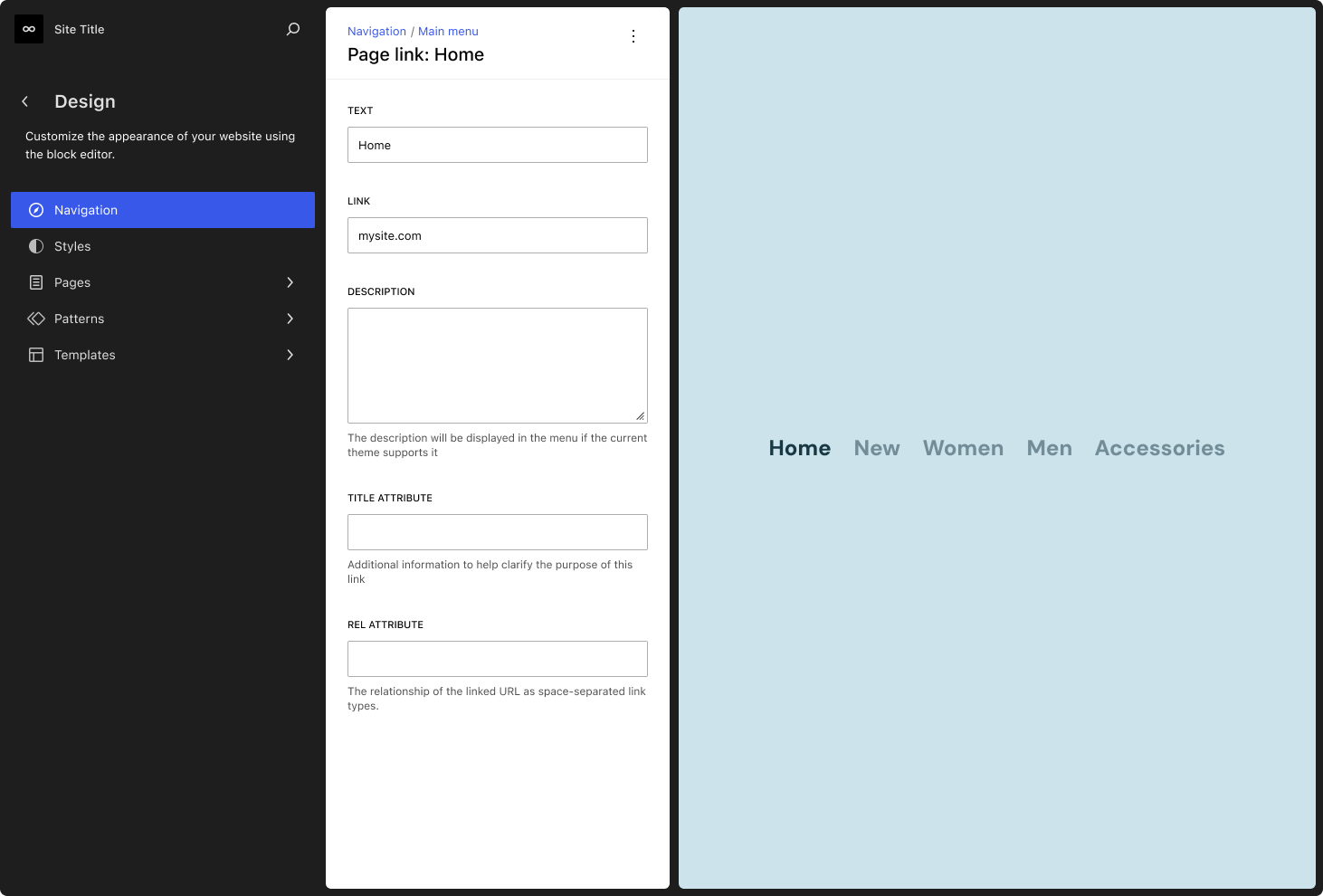
An exploration into using Data Views to power the navigation menu management experience in the Site Editor. Take a look.
Exploring different treatments for the Featured image control
Status: Conceptual | @jameskoster
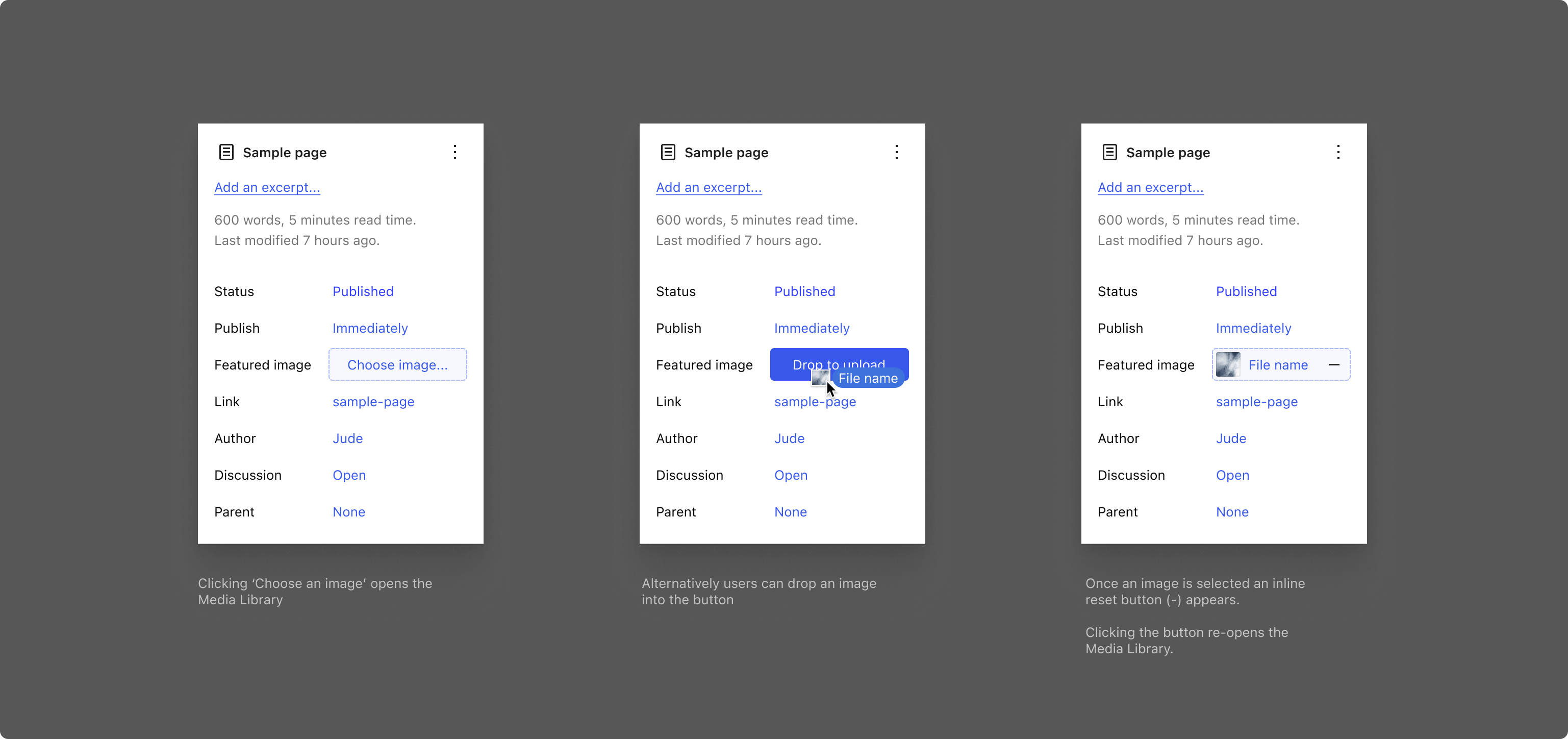
A rough sketch attempting to address some reported issues with the featured image control in the post / page summary panel.
Favorites in Data views
Status: Conceptual | @jameskoster

A conceptual mockup for a feature in Data views that allows users to mark records as ‘favorites’. Records marked as favorites will appear pinned above tables and grids so they’re always easy to find. Discussion on github.
Re-organising the block transform menu
Status: Needs feedback | @jameskoster
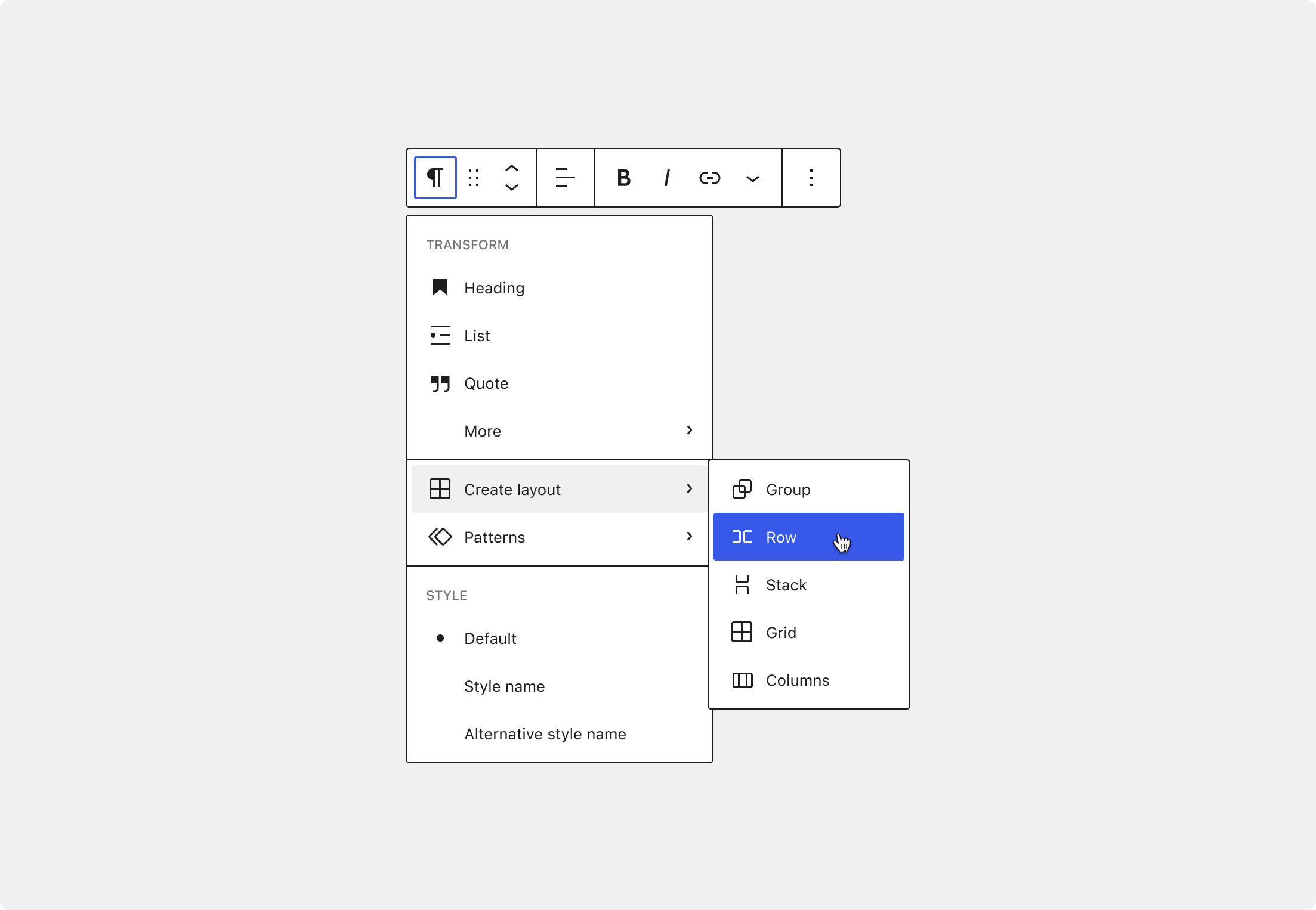
A mockup demonstrating how the new DropdownMenu component (with support for flyout menus) could be utilised to re-organise the block transformation menu. Take a look.
Design System Updates
As part of efforts to advance the WordPress Design System, the following are visual updates to this effort.
Contextual ordering controls in data views
Status: Needs feedback | @jameskoster

A small optimisation seeking to improve the UX around setting the display order in the Data Views component.
ListboxControl component
Status: Needs feedback | @jameskoster
Listboxes can be used as controls in their own right, and also power more complex components like Comboboxes and Autocomplete inputs. Discussion around adding such a component to the WordPress components package is ongoing. Join in.
Component Audit
Status: Done | @auareyou @0mirka00 @jameskoster @mattryanwalker
| Status | Count |
|---|---|
| Total Components | 109 |
| Needs Update | 21 |
| Deprecated or Planned for Deprecation | 25 |
| Stable | 44 |
| Needs Review | 14 |
| In Progress | 7 |
| Needs Figma Component | 32 |
What do these status mean?
- Needs Update: These components need some manner of Design or Code updates and improvements.
- Deprecated: These components are no longer recommended for use or plan to be no longer recommended for use.
- Stable: These components are recommended and available for use.
- Needs Review: These components need further investigation and technical review for potential consolidation or deprecation.
- In Progress: These components are currently being worked on.
- Needs Figma Component: These components have no Design Asset associated with them.