This is the second update on Data Views, a series to provide more frequent information about the latest and greatest, so folks can follow along, provide feedback, and explore using this component. It builds on the initial update shared in June and will share biweekly updates going forward as it remains helpful.
To get started in learning more:
- Documentation on it in the Storybook space.
- On the Developer blog, Using Data Views to Display and Interact with Data in Plugins, explains how to add a React app to a plugin page and use the Data Views component to display a data list.
- On GitHub, you can chime in or post on issues regarding Data Views development.
🚀 = Shipped | ⚙️ = Work in Progress | 🎨 = Needs feedback
Table of contents
- Ensure primary filter visibility 🚀
- Re-order table columns in view options 🚀
- Re-balance header area in List layout 🚀
- Combine Featured Image and Title field display ⚙️
- Pin table columns and rows 🎨
- Advanced filtering 🎨
Ensure primary filter visibility 🚀
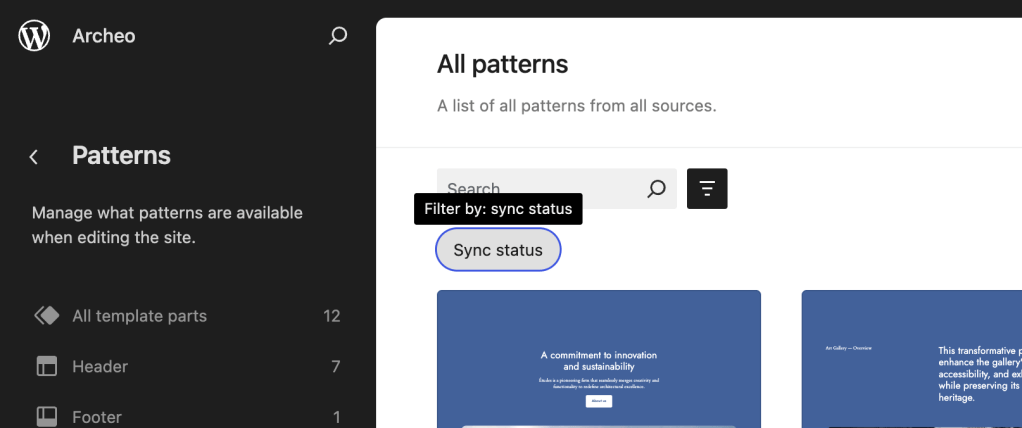
To provide users with the ability to manage prominence the filter UX recently moved to a toggle-able panel.
This small update ensures that any primary filters supplied by a data view are made immediately visible by opening the panel automatically.
Related GitHub link: DataViews: load the filter toggle as open if there are primary filters
Re-order table columns in view options 🚀
In addition to toggling field visibility, it is now also possible to re-order table columns within the view options UI. Related GitHub link: Add: Reorder control at the field level on the new view config UI.

Re-balance header area in List layout 🚀
A small change that makes the search bar wider when the screen is narrow, and adjusts the top part of the data view depending on screen size.
Related GitHub link: Data views: Update search appearance in narrow containers

Combine Featured Image and Title field display ⚙️
This PR attempts to combine post / page titles with the featured image rather than displaying them as separate columns in a table layout.
Related GitHub link: DataViews: Combine featured image and title in the posts table

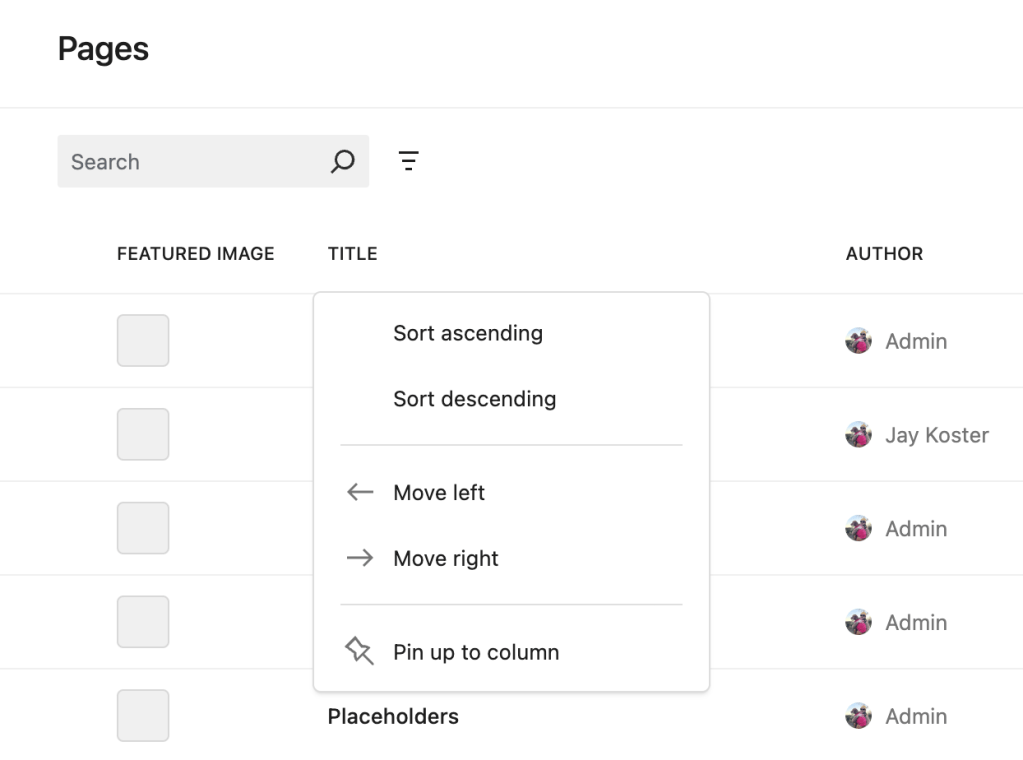
Pin table columns and rows 🎨
This change adds the ability to ‘pin’ or ‘freeze’ table rows and columns so that they remain visible regardless of scroll position.
Related GitHub links:
- Data views: allow users/consumers to pin columns in table layout
- Data views: allow users/consumers to pin rows in table layout
Advanced filtering 🎨
Initial explorations for a new “Advanced” filter type that allows for configurations not ordinarily possible with the standard filter UI.
Related GitHub link: Data views: Advanced filtering

If you have feedback, feel free to comment ideally on GitHub issues labeled “Data Views” or find us in the #design channel in Slack.
Props to @jameskoster for the preparing the content and @annezazu for reviewing of the post.