Captions are a text version of the speech and non-speech audio information needed to understand the content. They are synchronized with the audio and are usually shown in a media player when users turn them on.
Web accessibilityAccessibility Accessibility (commonly shortened to a11y) refers to the design of products, devices, services, or environments for people with disabilities. The concept of accessible design ensures both “direct access” (i.e. unassisted) and “indirect access” meaning compatibility with a person’s assistive technology (for example, computer screen readers). (https://en.wikipedia.org/wiki/Accessibility) is essential for people with disabilities and useful for all, so adding captions to the WordPress.tv videos would improve the usability of this platform.
We have used Otter.ai (English) & Sonix.ai (multilingual) to generate caption text files, then edit and upload them manually. These options have a cost, paid by some 5ftf company, so we used them only in a few videos.
In this post, I am going to explain how to test Whisper, a general-purpose speech recognition model. It is trained on a large dataset of diverse audio and is also a multi-task model that can perform multilingual speech recognition as well as speech translation and language identification. Whisper is open-source.
Install
You can get all the information about the installation here.
You need to have Python 3 and Pip installed. If you have a Mac M1, take a look at this link before installing this tool.
python3 -m pip install git+https://github.com/openai/whisper.git
Install ffmpeg:
brew install ffmpeg
Using Whisper
Getting the captions
I am going to use 3 videos in 3 languages to test the tool:
- English. A chat with Matt Mullenweg: WordCamp US 2022 Q&A. MP4 audio.
- Spanish. De vuelta al futuro de las WordCamps. MP4 audio.
- Galician. Axudando a pequenas empresas rurais a crear grandes proxectos dixitais. MP4 video.
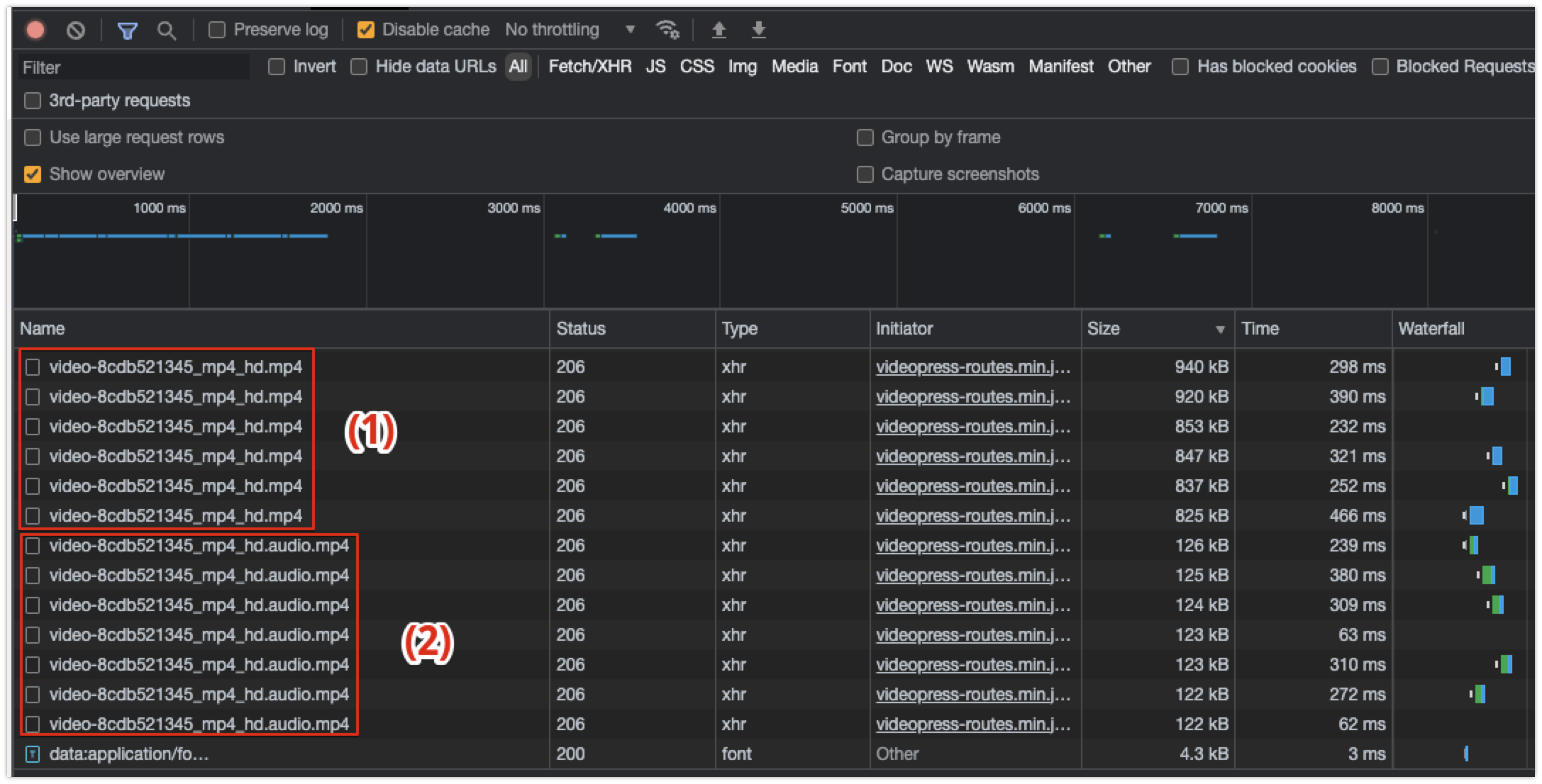
Be advised that the files you will get from wordpress.tv are the video without audio (1) and the audio files (2). You have to use the audio file (or a video with audio), because the video without audio breaks the extraction (and, of course, doesn’t work without audio). The next screenshot was taken from the Google Chrome inspector for A chat with Matt Mullenweg: WordCamp US 2022 Q&A.
I have downloaded these videos to my laptop:
wget https://videos.files.wordpress.com/BJyPZJNx/video-8cdb521345_mp4_hd.mp4 -O matt.mp4
wget https://videos.files.wordpress.com/MpsA8VfU/video-d420f9c984_mp4_hd.mp4 -O RocioIsotta.mp4
wget https://videos.files.wordpress.com/AVCv2TIJ/video-3a8375257e_mp4_hd.mp4 -O NuriaMiriam.mp4
Now I am going to run Whisper with these 3 videos:
whisper matt.mp4 --language English
whisper RocioIsotta.mp4 --language Spanish
whisper NuriaMiriam.mp4 --language Galician
Each execution generates 3 files:
- A .srt file. SubRip.
- A .txt file. A plain text file with the transcription.
- A .vtt file. Web Video Text Tracks Format (WebVTT).
Getting the translations
Adding --task translate, Whisper will translate the speech into English:
whisper RocioIsotta.mp4 --language Spanish --task translate
This command only generates the translation, not the text files in the original language, so I had to run the command without the --task translate parameter. I have to research if it is possible to do both actions at the same time.
Time execution
To have some reference values of the time it takes to run these processes, I used the time command. My laptop is a MacBook Pro M1 2020 with 16 GB RAM. Really, the time command is then actually performed by the ZSH shell.
time whisper matt.mp4 --language English
10409.95s user 3461.08s system 217% cpu 1:46:22.95 total

time whisper RocioIsotta.mp4 --language Spanish
4222.15s user 1253.41s system 164% cpu 55:31.56 total

time whisper NuriaMiriam.mp4 --language Galician
7320.41s user 2412.34s system 204% cpu 1:19:10.39 total

time whisper RocioIsotta.mp4 --language Spanish --task translate
3813.41s user 1197.22s system 221% cpu 37:42.37 total
You can see the process takes some time, so if we are going to use these files in a WordCampWordCamp WordCamps are casual, locally-organized conferences covering everything related to WordPress. They’re one of the places where the WordPress community comes together to teach one another what they’ve learned throughout the year and share the joy. Learn more., we need to process them before, maybe using a script running the night before, extracting the subtitles from all videos inside a folder.
Files
These are the files if you want to review the result:
- Matt.mp4.txt – Subtitles in English (all files)
- RocioIsotta.mp4.txt – Subtitles in Spanish (all files)
- RocioIsotta-en.mp4.txt – Subtitles in English. Automatic translation (all files)
- NuriaMiriam.mp4.txt. Subtitles in Galician. (all files)
Be advised that the name of the files inside RocioIsotta-en.zip and RocioIsotta.zip are the same, but with different content: one with subtitles in English and the other with subtitles in Spanish.
Usages and conclusion
The captions are not perfect, but they have good quality, so they can be a good starting point to work in the WordCamps (TV table in the Translation Day) or by the community who uploads the videos to WordPress.tv. They can edit the caption files and get the subtitles in the original language and in English, so we can make videos more accessible to the community with this open-source tool.
Update
@akirk mentioned this interesting post about how to run Whisper with GitHub Issues/Actions. Could be interesting to adapt this workflow to wordpress.tv.